Your Cart (0)
Your cart is empty
Tax included and shipping calculated at checkout
Drawer menu
Tax included and shipping calculated at checkout

Last Updated: October 30, 2026
Quick Summary
The best SewingMachinesPlus alternative for embroidery buyers is a retailer that puts education and support before the sale, like Stitch Pro Supply. Pick the retailer whose policies, support, and service fit how you work, then let them narrow your embroidery machine list. Confirm the embroidery area fits your projects and read the return policy twice.
If you are hunting for a sewingmachinesplus alternative for embroidery, the reason is usually the same: a machine that looks right on the product page but leaves you guessing about support, returns, or whether anyone will help when the thread birdnests at 9 p.m. At Stitch Pro Supply, we built our whole model around that gap, putting education before the sale so you know exactly what you are buying.
Most buyers start with the machine and work backward. We think that is backwards. Pick the retailer whose policies, support, and service options fit how you actually work, then let them narrow the machine list.
Below, we break down the machine types, the specs that matter, the return policies worth reading twice, and the total cost of ownership nobody puts on the price tag.
An embroidery-only machine does one job and does it without compromise. A combo machine sews and embroiders, which means one footprint, one power cord, and one learning curve instead of two. The right pick depends on how often you switch between straight stitching and design work.
Standalone embroidery machines are built around embroidery as the main output, which suits embroidery-focused work such as patches, monograms, and production runs for customers.
A combo machine covers both sewing and embroidery in one unit, which can save space in a home studio where a second table is not an option. If you want the deeper breakdown of this trade-off, our guide on combination machine vs separate machines walks through it step by step.
Here is how the two machine types compare on the trade-offs the article describes.
| Machine type | What it does | Best for |
|---|---|---|
| Embroidery-only | Does one job without compromise | Patches, monograms, production runs |
| Combo | Sews and embroiders in one unit | Home studios without room for a second table |
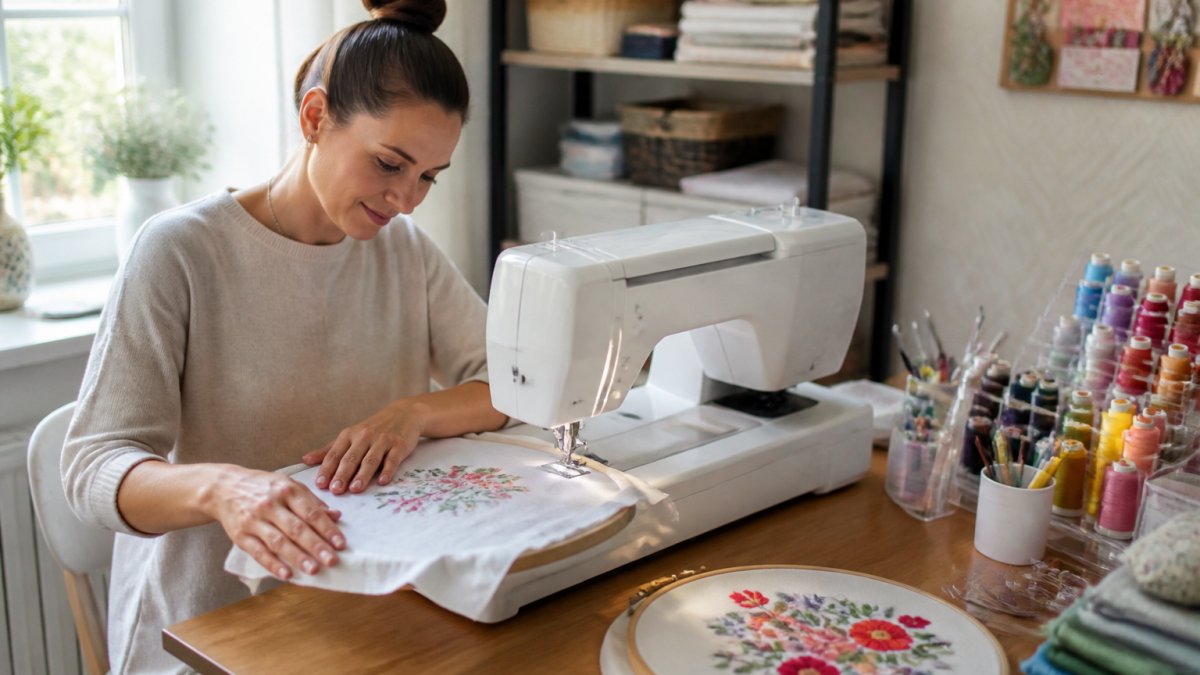
A beginner-friendly embroidery machine typically has a clear screen, built-in designs, and an approachable setup. Here are three options to consider.
If you want a wider shortlist, our roundup of the best sewing machine for embroidery covers more ground.
Embroidery area is the maximum design size a machine can stitch in one hooping, and it is the spec that limits your projects more than any other. A 4x4 inch field handles monograms and small logos. A 5x7 inch field opens up jacket backs and tote bags. Anything larger pushes you into commercial territory.
Hoop size and embroidery area are related but not identical: the hoop is the physical frame, and the machine's field is what it can reach inside that frame. Check both before you buy.
Our how to choose embroidery machine guide goes deeper on evaluating these specs before you commit.
For home and Etsy sellers, the buying guide comes down to production reliability. A hobbyist can tolerate a machine that needs coaxing. A seller cannot, because a missed order hits the shop's reviews.
Start with stitch count per minute and how many needles the machine carries. Design transfer matters too: USB connectivity and cloud options like CREATIVATE™ let you move files without hunting for a cable.
Then think about the learning curve. For sellers building a small business around embroidery, our guide to the best embroidery machines for Etsy sellers is built around exactly this use case.
Watch out: buying a machine with a 4x4 inch field to save money, then discovering every design you want to sell needs a 5x7 field. That mistake costs far more than the upgrade would have.
An embroidery machine retailer return policy is the safety net for a purchase you cannot fully test until the machine is on your table. Read it before you pay, not after something goes wrong.
Here is how to compare return policies across retailers without getting lost in fine print.
1. Return window length. A short window may expire before you have run enough designs to know if the machine fits your work. Ask specifically: does the clock start at delivery or at order date?
SINGER® SE9180 Sewing & Embroidery Machine →
2. Restocking fees.
3. Condition requirements. Most policies require original packaging, all accessories, manuals, and sometimes the unopened accessory kit. Keep the box and foam inserts for at least the full return window. A missing hoop or power cord can turn a full refund into a partial one.
4. Who pays return shipping.
5. Defect vs. change of mind. These are usually treated differently. A defect may qualify for a prepaid return, full refund, or exchange; a change of mind may incur fees and shipping. Get the distinction in writing before checkout.
Our explainer on the sewing machine return policy covers how these policies typically work across the industry. If you are comparing a SewingMachinesPlus alternative, put the return policy side by side with the machine spec sheet, the policy is part of the product.
The sticker price is the least interesting number in this decision. Total cost of ownership is the machine plus everything it needs to run for three years. Here is how to price the categories so you can compare two machines honestly.
Machine and included accessories. Note what ships in the box: hoops, bobbin winder, needle set, foot control, dust cover.
Stabilizer, backing, and topping. Every project type needs a stabilizer, cut-away, tear-away, wash-away, or adhesive.
Thread. Embroidery thread is not cheap when you build a color library. Bobbin thread is separate and usually sold in larger cones.
Needles and bobbins. Embroidery needles dull faster than sewing needles. Budget for replacement every few months under regular use.
Digitizing software. If you plan to create or edit designs rather than buy them, software is a major line item.
Service and repairs. A local technician is not always nearby. Ask whether the retailer offers authorized service, parts availability, and repair turnaround.
If you are weighing a SewingMachinesPlus alternative, ask the retailer to quote the machine plus the accessories your project list requires.
Choosing your first embroidery machine comes down to matching three things: your project types, your budget including accessories, and the support you will need in month one. Get those aligned and the model list narrows fast.
We built Stitch Pro Supply around the Learn First. Shop Second. philosophy, which means our team walks you through machine selection before you check out. You get expert support and practical education, carefully selected supplies and trusted brands, and fast U.S. shipping. If you are comparing retailers and wondering what the extra cost buys,
Start with the machine type, confirm the embroidery area fits your projects, then read the return policy twice.
Shoppers who want an embroidery machine outside SewingMachinesPlus should compare retailers on machine selection, return windows, and repair support rather than price alone. Stitch Pro Supply carries combo machines such as the SINGER SE9180 at $799.99 and the HUSQVARNA VIKING DESIGNER QUARTZ 29 at $999.00, plus the HUSQVARNA VIKING TOPAZ 55Q sewing machine at $3,299.00. Ask each retailer how returns work, who handles warranty repairs, and whether staff will walk you through setup before you commit.
The embroidery-only machine vs combo machine decision comes down to space and project mix. A standalone embroidery machine is built around hooping, design transfer, and multi-needle efficiency, which suits high-volume patch and monogram work. A combination machine handles sewing, quilting, and embroidery in one footprint, so it fits home studios where you also piece quilts or hem garments. If most of your work is embroidery and you already own a sewing machine, standalone is the cleaner buy.
Start with hoop size and built-in designs, then check ease of use. The SINGER SE9180 includes over 150 built-in embroidery designs, over 250 stitches, a 7-inch touch screen, and an automatic needle threader, . Confirm the machine includes at least one hoop, supports USB or app-based design transfer, and has a bobbin winder. Beginners should also verify retailer support and the embroidery machine retailer return policy before ordering.
Compare four things: the return window and who pays return shipping, whether service and repairs are handled in-house or through the manufacturer, how design files transfer to the machine, and whether staff answer setup questions. Price matters, but a lower sticker price with a short return window can cost more if the machine does not suit your project type. Ask directly what happens if the machine is not right three months in.
The hardest part of buying an embroidery machine is not finding one. It is knowing which one fits your work before you spend the money. Stitch Pro Supply exists to close that gap, with education-first guidance, a curated machine selection, and support that continues after the box arrives. Get started with Stitch Pro Supply and choose your first embroidery machine with confidence.


